 Feng Shui Scan
Feng Shui Scan · iPhone and iPad
See your home’s flow
Scan your home. Visualize its flow in AR. Discover potential Feng Shui blockages and see how your space could improve.
Coming to the App Store · iPhone and iPad · submitted for review
Scan→See→Fix→Rescan→Improve
The flow
See your home’s flow
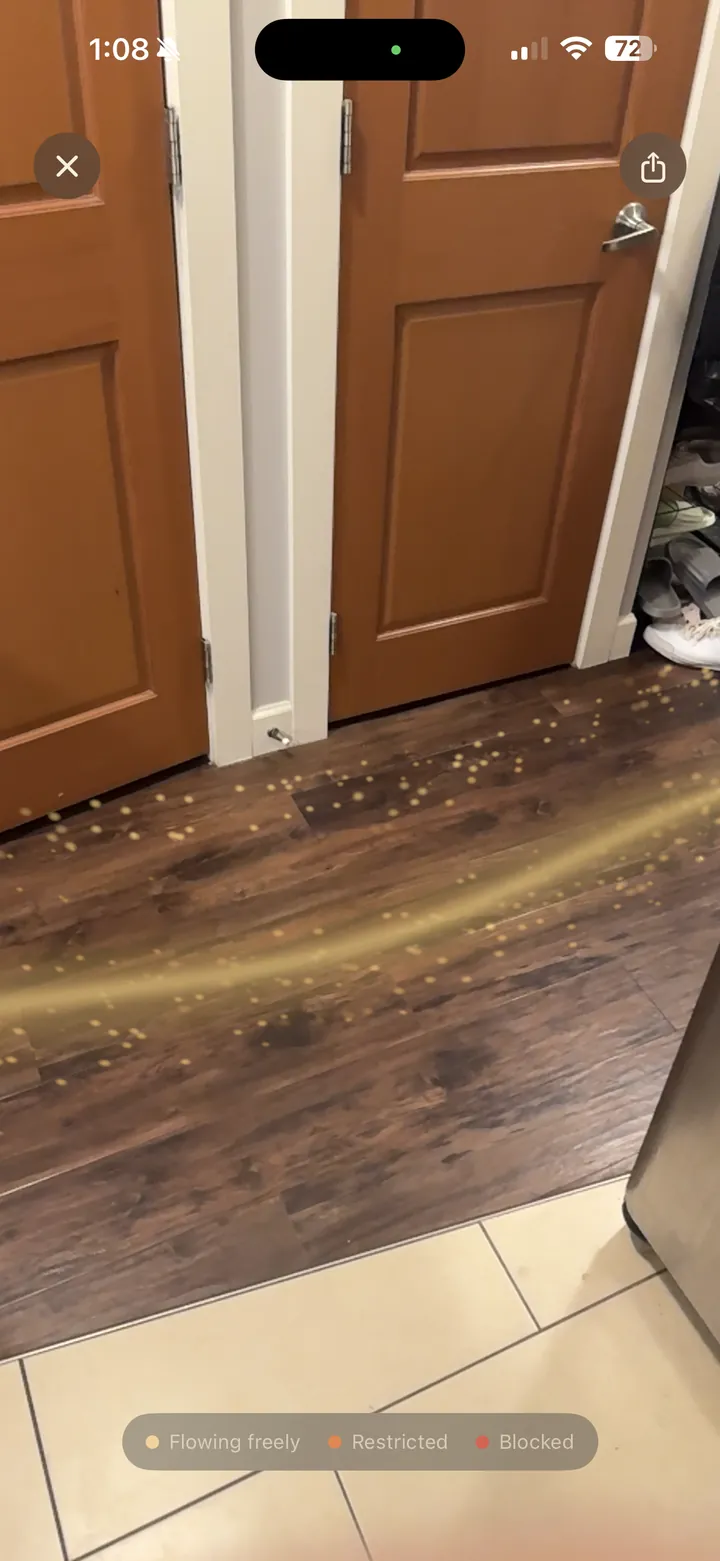
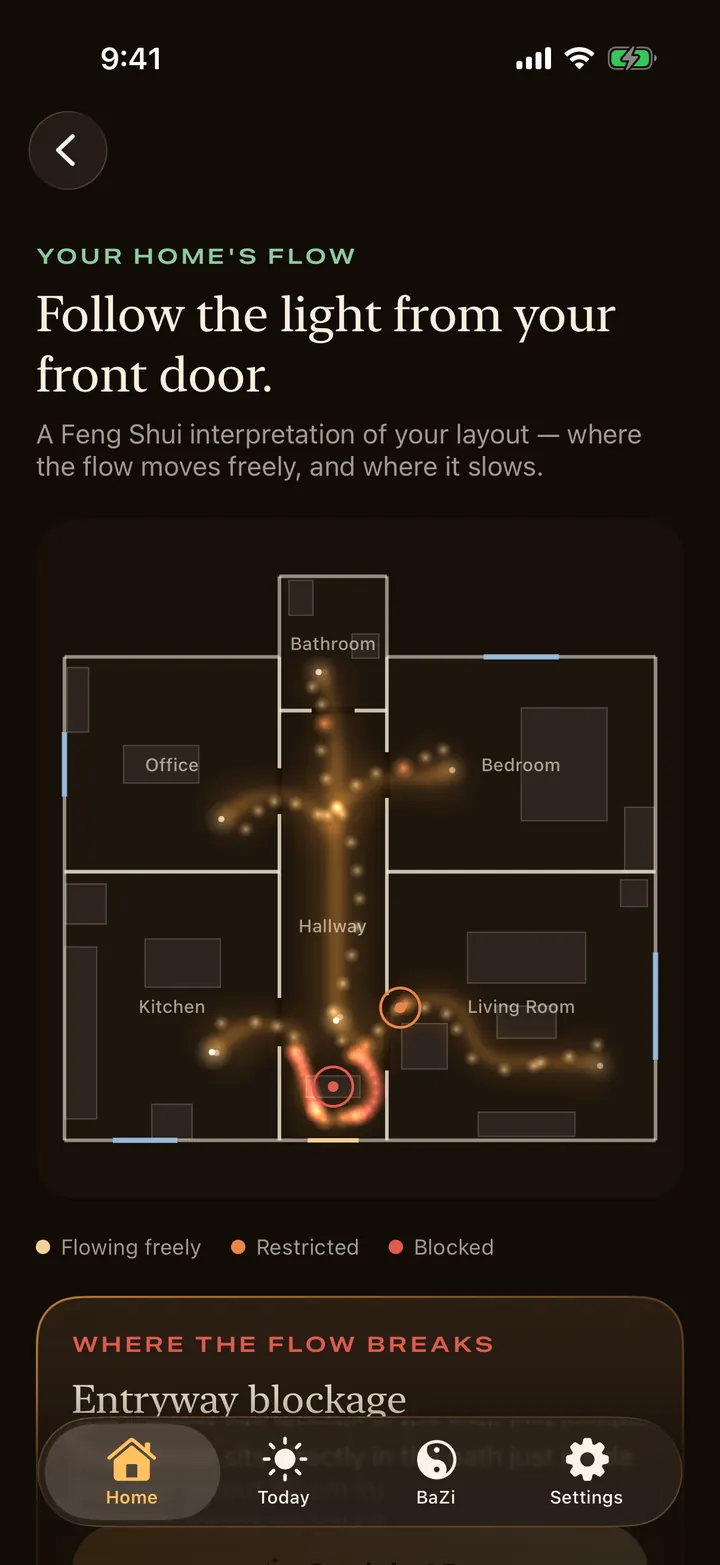
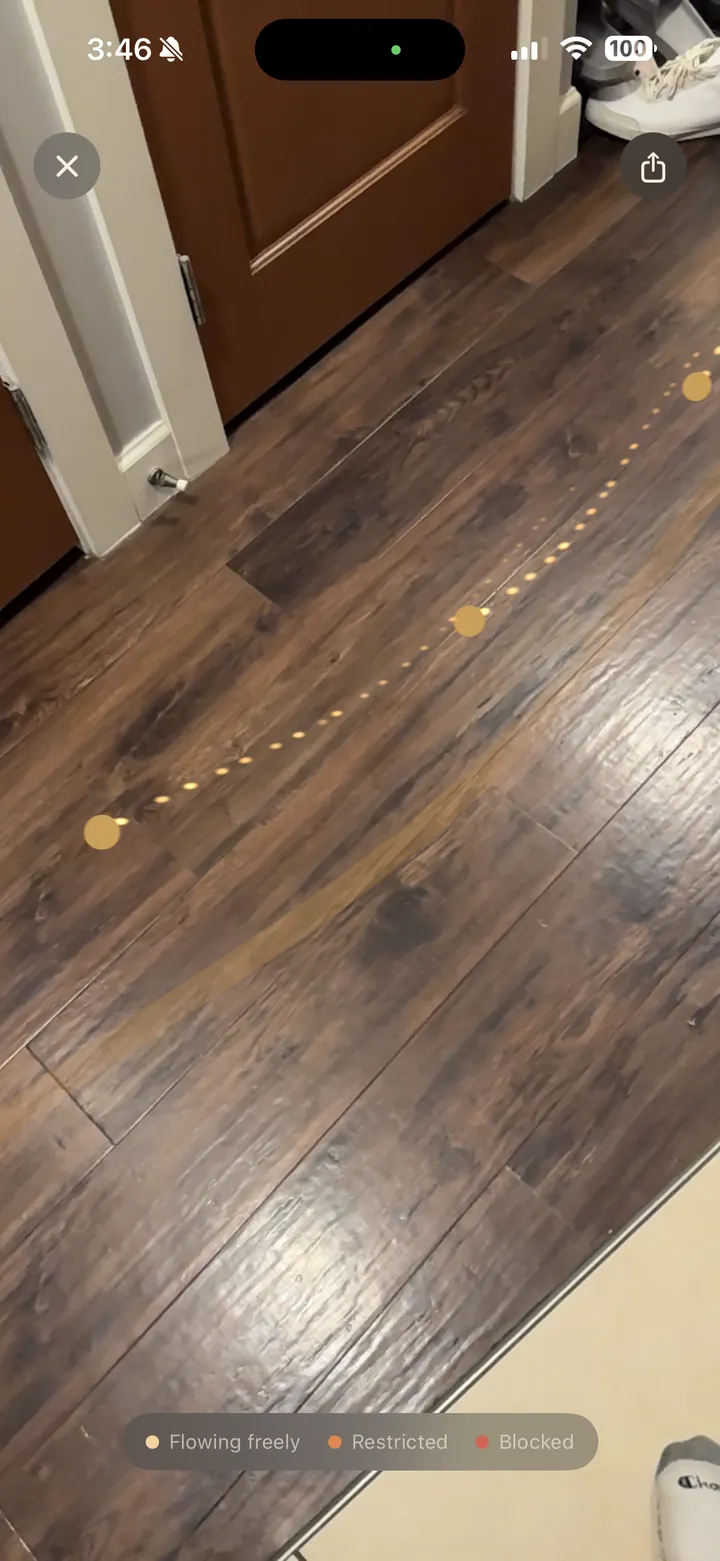
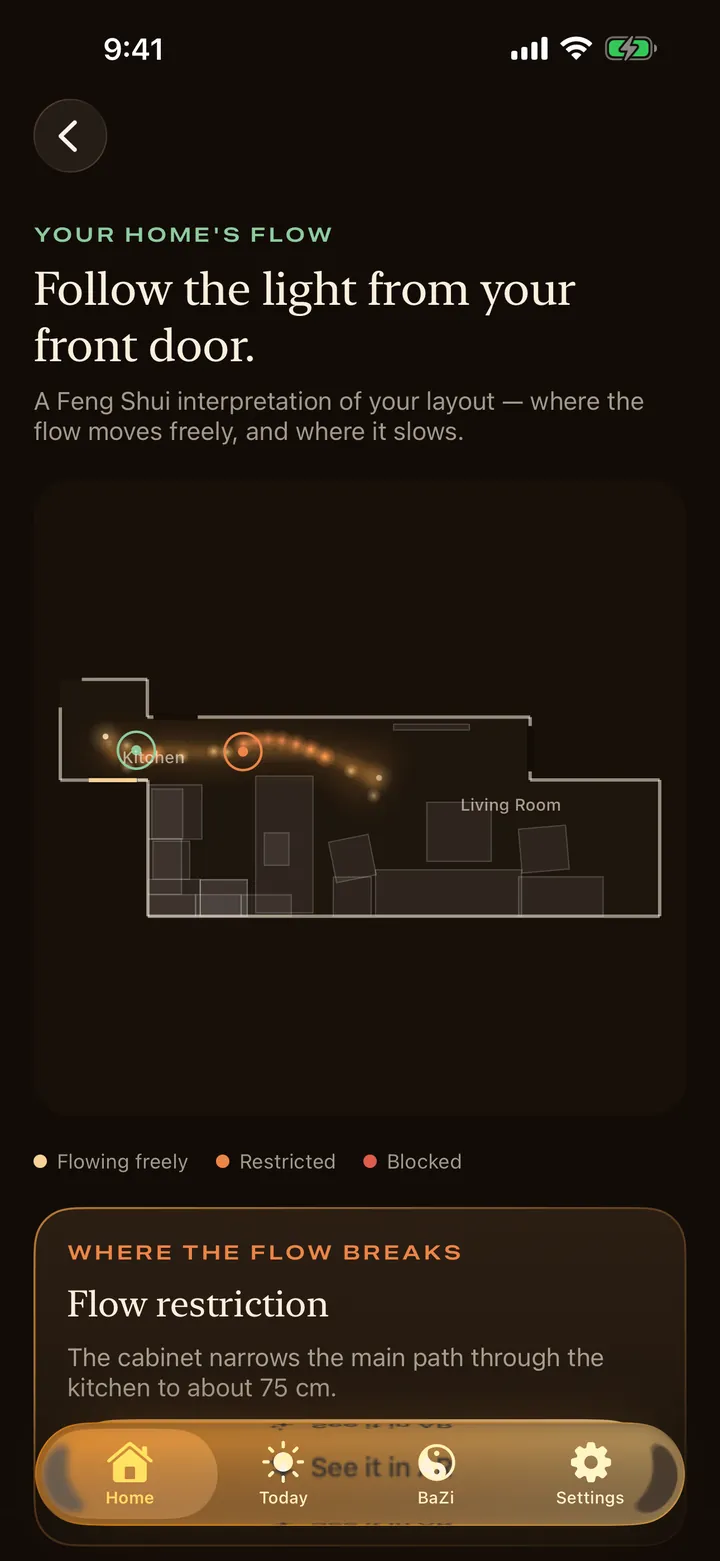
Form-school Feng Shui reads a home by the path from its front door: where it moves freely, where it squeezes, where it stops. Feng Shui Scan draws that path on your floor plan and then shows it in the room itself, as light moving across your own floor.
- The path starts at your front door and runs through every room it can reach.
- Gold where it moves freely, amber where it is restricted, red where it is blocked.
- Shown in AR, so you see the pinch point where it is, not on a diagram.
The scan
Walk your home
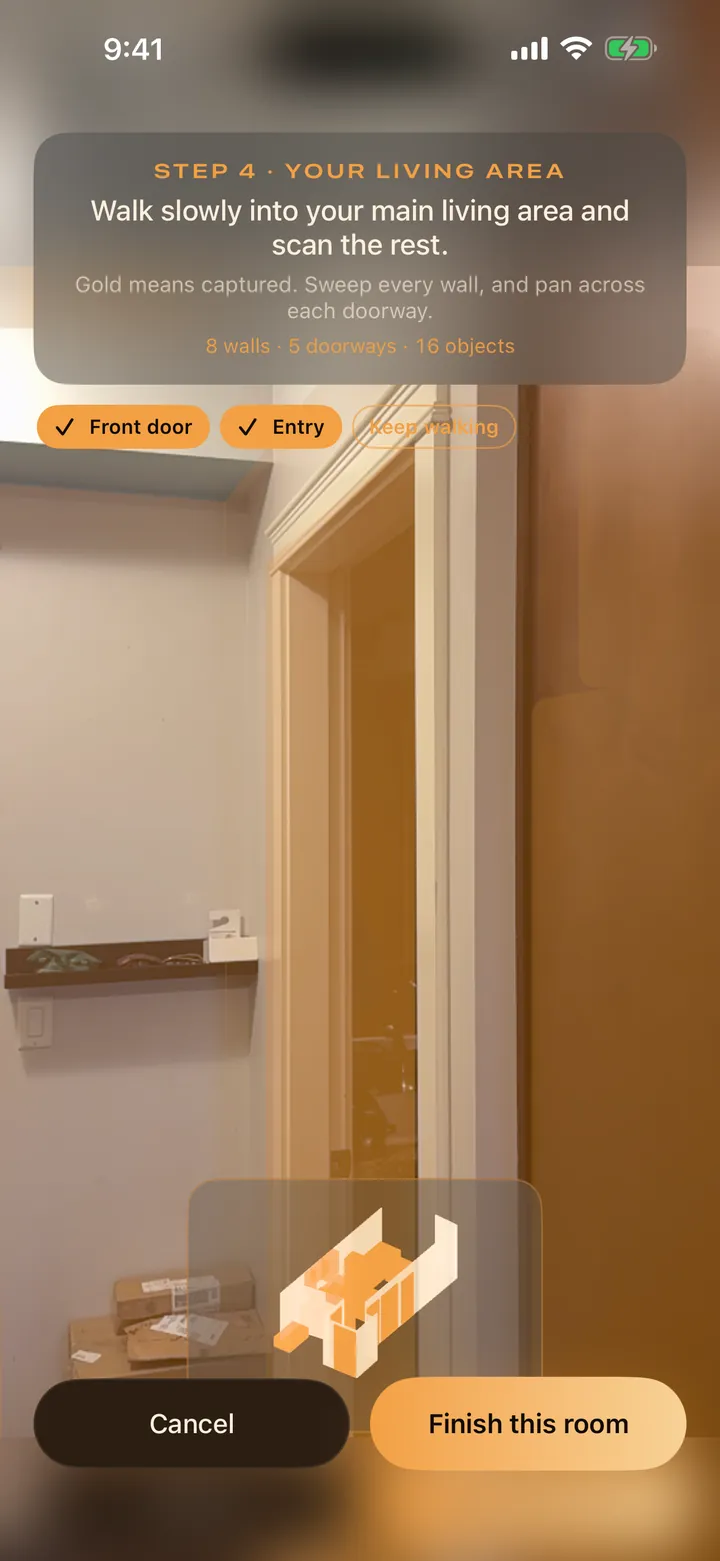
Stand inside, facing your front door. Confirm the doorway, scan the area around it, then turn slowly into the main living area and keep going. The app builds the plan as you walk: walls, doors, windows and furniture.
- With LiDAR, rooms are scanned by Apple RoomPlan as you move.
- Without it, you mark corners and doorways by hand.
- Camera frames stay on the device and are never uploaded or stored.
The reading
Discover flow blockages
The result names what it found and where: a cabinet in the first step inside the door, a passage narrowed to 75 cm, a bed in line with its door. Each finding is worded as what tradition says about it, with the usual remedy.
- A Home Flow Score out of 100, built from entrance, circulation, connectivity, furniture placement and continuity.
- Beds and desks checked against the command position.
- The Bagua map laid over your plan, by front door or by compass.
The fix
Fix your flow
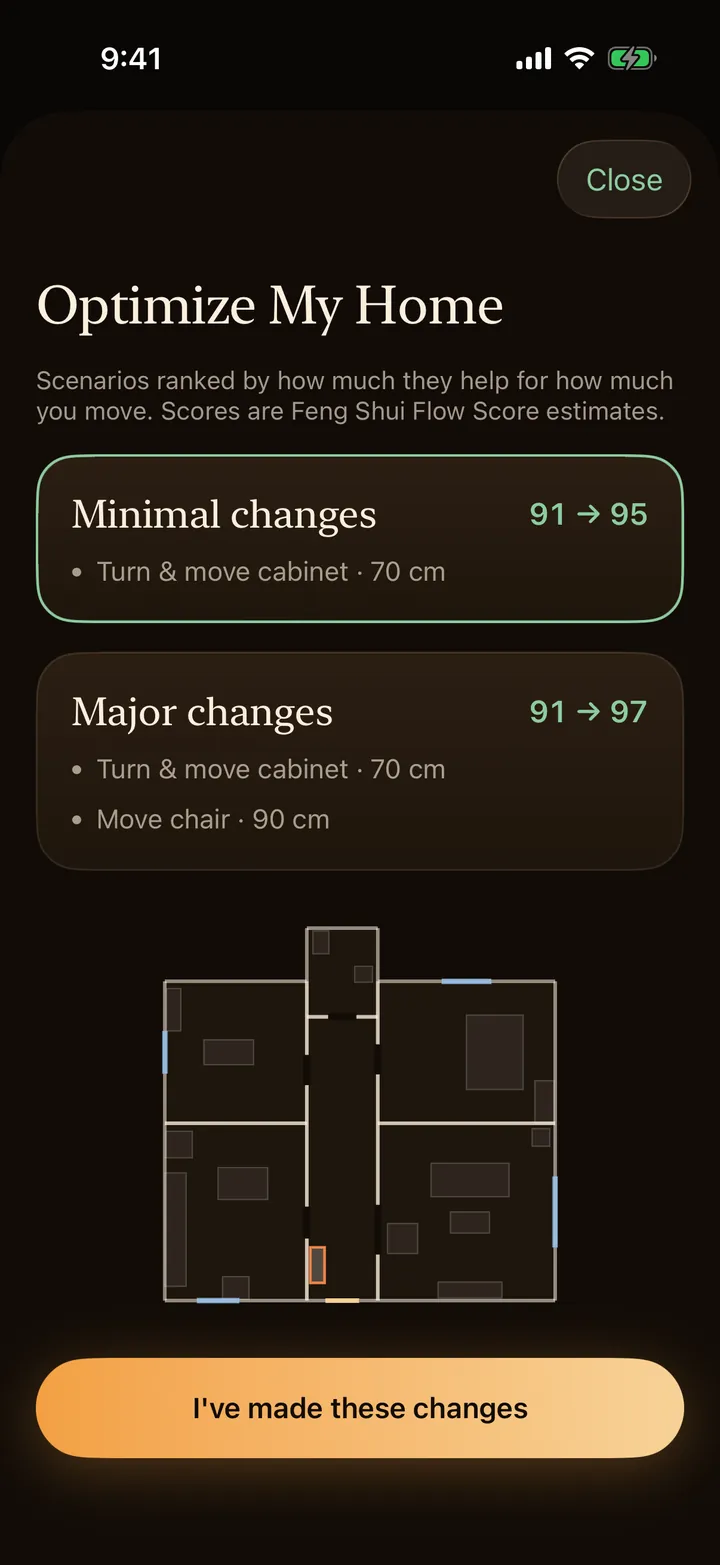
Optimize My Home ranks changes by how much they help for how much you move: turn the cabinet, shift a chair 90 cm. Preview a move in AR before you lift anything.
- Minimal changes first, bigger ones after.
- Each scenario shows the score it would lead to.
- Placement ideas too, such as a plant where a line needs breaking.
You
Make your home personal
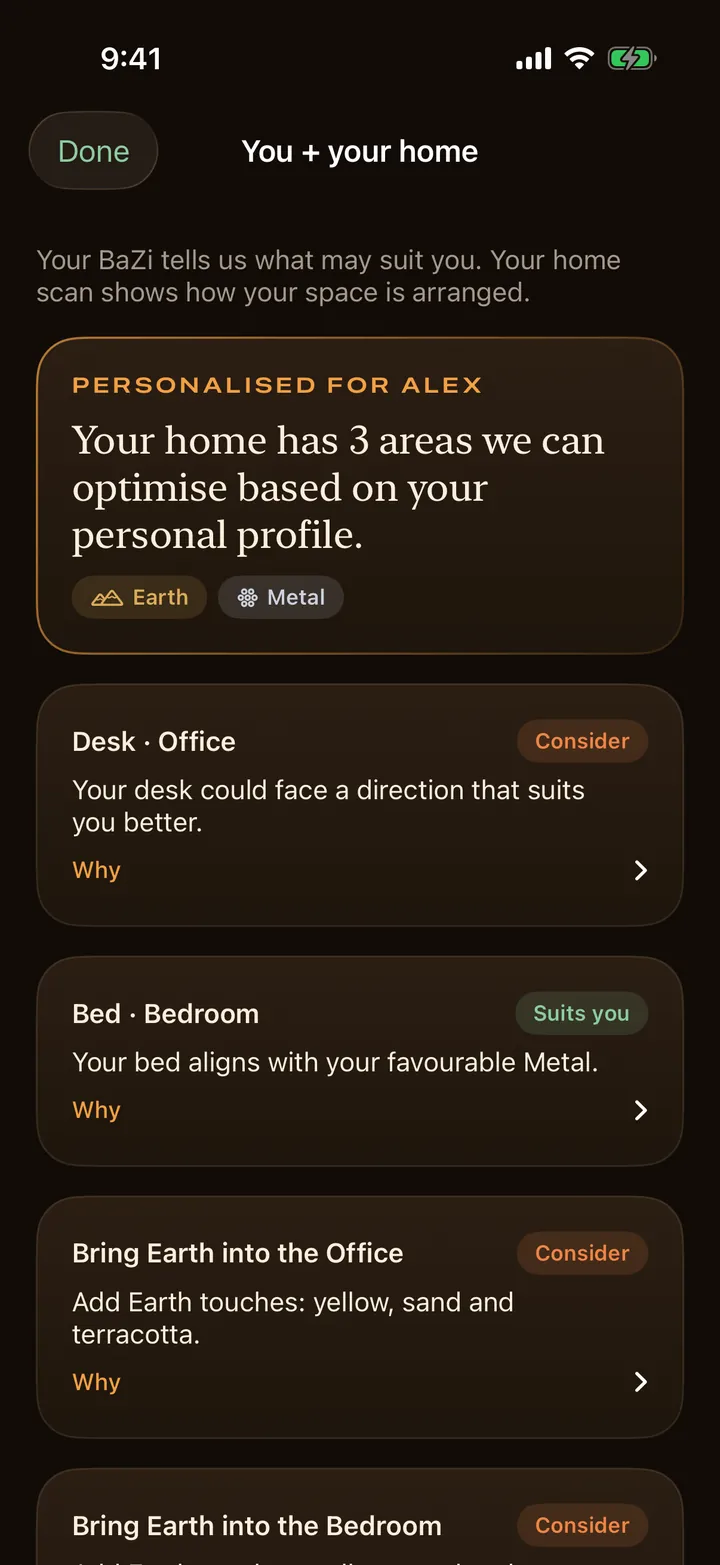
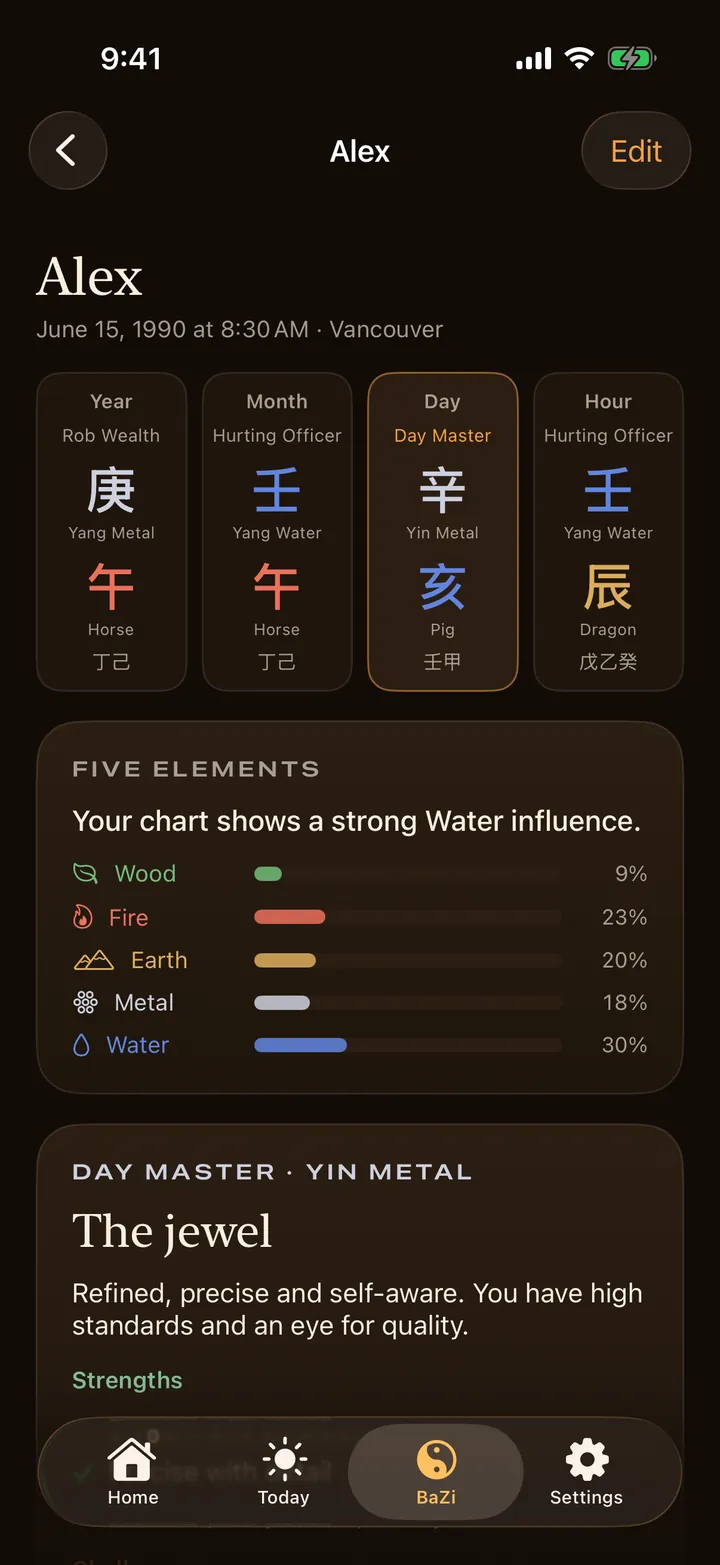
Add your birth date, time and place and the app works out your BaZi chart: Four Pillars, Five Elements, the elements said to favour you. With a compass heading it then looks at where your bed and desk sit and which way you face.
- Favourable directions, colours and materials for your chart.
- A note for each bed and desk: keep it, or consider turning it.
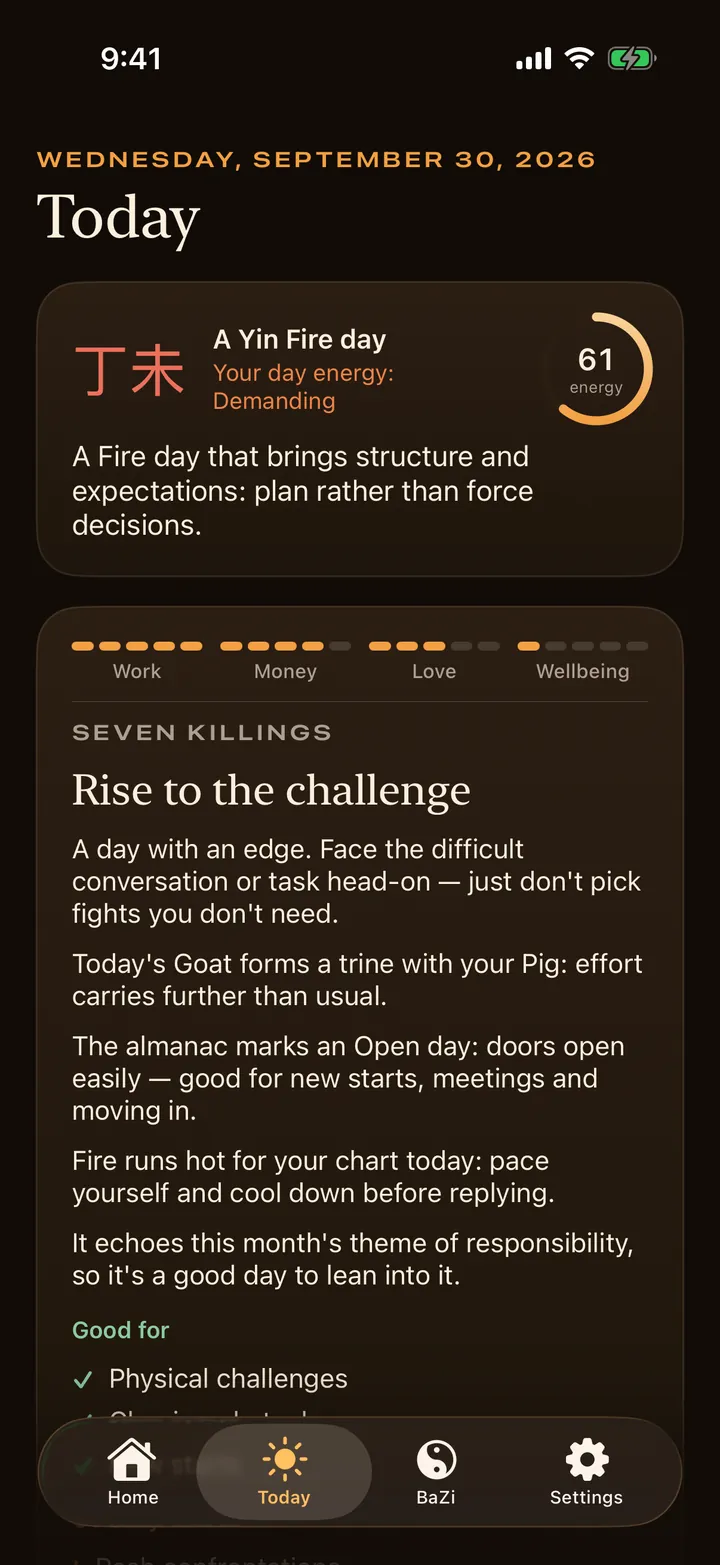
- Daily, monthly and yearly readings, luck cycles and compatibility.
The loop
Scan. Change. Rescan.
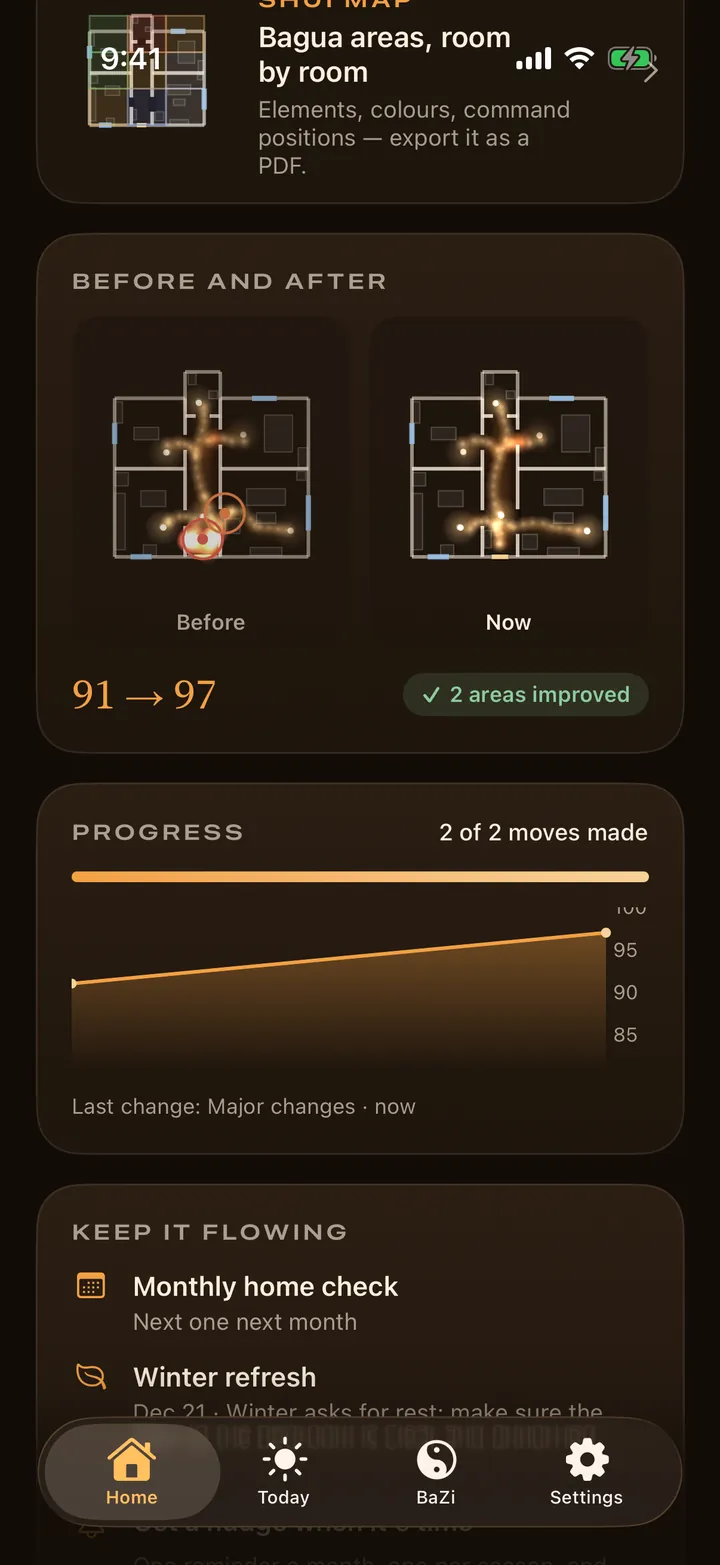
Move the furniture, then scan again. The app keeps the before and the after side by side, so you can see what a change did to the path and to the score.
- Before-and-after plans for every home you keep.
- Progress across the moves you have made.
- Reminders to check again when the room changes.
The tradition
What is Feng Shui?
Feng Shui is a Chinese tradition of arranging buildings and rooms. Its oldest branch, the form school, reads a place by its shape: where you enter, how you move through it, what stands in the way, and whether the places you rest and work feel supported. Other schools add the compass, the calendar, and the person.
It is an interpretive practice, not a science, and this app treats it that way. What it adds is measurement of the layout the tradition is talking about: your door, your walls, your furniture, to scale.
Explore
Feng Shui, room by room
Plain answers to the questions people actually ask, each one leading to the same place: what it looks like in your home.
Problems
Is this bad Feng Shui?
The specific worries: what tradition says, how much it matters, and what to do when you cannot move anything.
Tools
Work it out in your browser
Free calculators that use the same rules as the app. Nothing you enter leaves the page.
BaZi + Feng Shui
The place, and the person
Feng Shui reads the home. BaZi, the Four Pillars, reads the person from their birth date and time. The five elements are the bridge: a chart’s favourable elements have directions, colours and materials, and those can be applied to where you sleep and work.
- Your Four Pillars chart and five-element balance.
- A daily reading with what the day is said to suit.
- Compatibility between two charts, side by side.
Questions
Is Feng Shui Scan on the App Store?
It has been submitted to Apple and is waiting for review. It will be listed as Feng Shui Scan for iPhone and iPad, in English, Simplified Chinese and Traditional Chinese. These pages will link to the listing the day it is approved.
Do I need an iPhone with LiDAR?
No. iPhones and iPads with LiDAR scan rooms with Apple RoomPlan as you walk. On other devices you map each room by marking its corners and doorways by hand. Either way the map starts at your front door.
Does the app measure qi?
No. Feng Shui and BaZi are traditional interpretive practices. The app applies their rules to your floor plan and your birth details; it does not scientifically detect qi, and its readings are not medical, financial, legal, psychological or structural advice.
What does the scan actually check?
Form-school layout: what stands just inside the front door, whether the door lines up with a window or another door, what the door looks at, where furniture narrows or cuts the path through the home, crowded rooms, dead ends, rooms the path cannot reach, sharp corners aimed at a bed, sofa or desk, and whether beds and desks are in the command position.
Where are my floor plans and birth details stored?
Only on your device. There is no account and no cloud sync. Camera frames are processed on the device and are never uploaded or stored; only the resulting floor plan is saved. The free version shows ads and the app sends a few anonymous usage events and crash reports; the privacy policy lists exactly what leaves the device.
What does it cost?
The free version analyses the first room of a home and includes one BaZi profile plus one other person and a basic daily reading, with ads. Pro is US$9.99 a month or US$39.99 a year, each with a 3-day free trial for eligible new subscribers. A one-time purchase of US$14.99 unlocks the complete analysis for one home. Your own App Store shows the local price.
You’ve read about the problem. Now see whether your home has it.
See your home’s flow
Scan from the front door, follow the light, and find out where it stops.
Coming to the App Store · iPhone and iPad · submitted for review